Restaurant POS Software - Complete Guide to Features, Benefits, Pricing & Selection in India (2026)
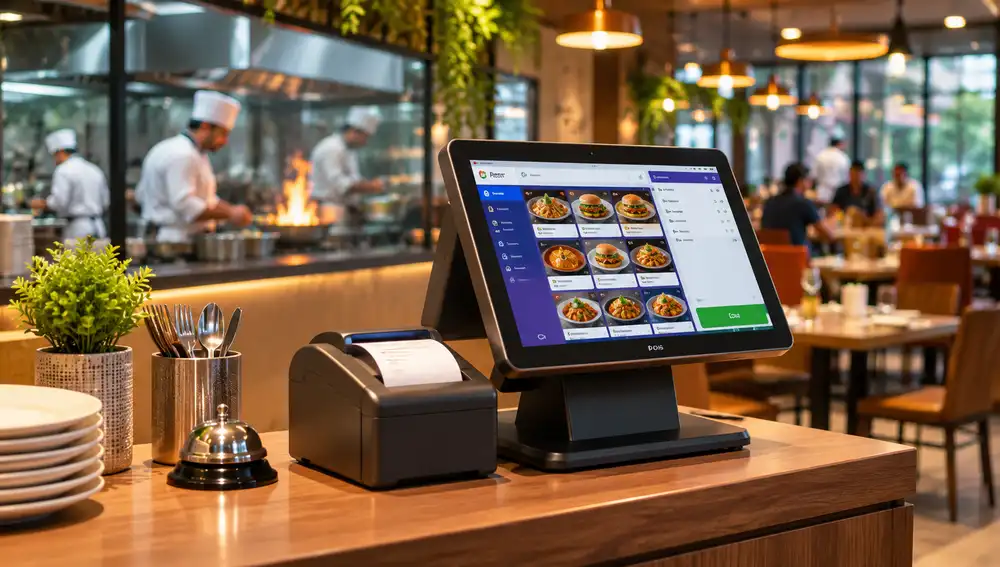

A restaurant can have an excellent menu, talented chefs and a steady stream of customers, yet it struggles to maintain profitability. The reason isn't always a lack of business as sometimes, the real problem lies behind the counter such as misplaced orders, inaccurate billing, untracked ingredients, delayed kitchen communication and limited visibility into daily revenue. When these small issues accumulate, then they can quietly affect the entire restaurant operation.
How to solve these issues?
A Restaurant POS Software will help you have more than a digital billing tool. It acts as the operational backbone of a modern restaurant that connects customer orders, kitchen workflows, inventory records, payments and sales information within a unified system. Now instead of relying on disconnected processes and manual records, the restaurant owners can manage essential business activities with greater accuracy and visibility.
However, you must note that not every POS solution offers the same capabilities. You need to choose one that involves more than comparing billing features or subscription prices.
In this guide, you will explore everything about POS software in 2026. From cloud-based systems and GST invoicing to inventory automation, delivery integrations and multi-outlet management, there are several factors that deserve attention from a restaurant owner in India.
Behind a busy restaurant, there are several small operational challenges that can quickly turn into bigger business problems. For instance, a delayed order, an incorrect bill or an ingredient running out unexpectedly may seem like isolated incidents, but such repeated mistakes can affect customer satisfaction, staff productivity and overall profitability.
Here are some common challenges that POS restaurant software can help businesses to address.
Manually calculating bills, applying discounts and recording payments can consume valuable time, particularly during busy hours. Even a small calculation error can create confusion at checkout. So, restaurant POS software can automate billing, calculate applicable taxes, generate invoices, and helps staff process transactions faster and more accurately.
When waiters have to communicate orders verbally or rely on handwritten notes, then special instructions and item modifications can easily get missed. Here, a POS system sends orders directly to the kitchen through Kitchen Order Tickets (KOT) or a Kitchen Display System (KDS), which reduces communication gaps and incorrect preparations.
Without some accurate stock records, the restaurants may struggle to identify excessive ingredient usage, missing inventory or products approaching their expiry dates. By having inventory management features, then it can help track stock movement, monitor ingredient consumption and identify items that need replenishment.
A restaurant that has several dining sections often, then one can find it difficult to track occupied tables, pending orders and payment status simultaneously. With a digital table management system, then it provides a centralized view of table availability, active orders and billing progress.
With paper records and disconnected spreadsheets, then it makes it difficult to understand which dishes sell the best, and when customer demand peaks or where revenue is coming from. The POS reporting provides organized sales data and performance insights for better business decisions.
It will handle orders from different food delivery channels which can separately create duplication, delays and missed orders. The integrated order management can bring supported online ordering channels into a more organized workflow.
Without organized customer records, restaurants can miss opportunities to encourage repeated visits by customer. A customer management tool will help maintain purchase histories, manage loyalty rewards and create targeted promotional offers.
A restaurant POS system should do much more than generate bills as its real value lies in bringing different restaurant operations together, allowing staff to manage orders, payments, kitchen activities and inventory without switching between disconnected tools. Here are the essential features worth evaluating when you are choosing a restaurant POS solution.
A POS system simplifies checkout by automatically calculating item totals, discounts and applicable GST, and generates detailed invoices, supports different payment methods and reduces calculation errors during busy service hours.
A Digital table management helps staff to monitor occupied, reserved and available tables, which makes it easier to handle dine-in, takeaway and delivery orders from one interface.
KOT sends order details directly to the kitchen, while a KDS displays incoming orders on digital screens. Both of them help the kitchen staff to prioritize preparations and reduce confusion between service teams.
With Inventory tools, then it tracks ingredient quantities, stock movement and replenishment requirements.
Restaurants can update menu items, prices, categories and availability without changing individual billing records.
Customers can scan a QR code to browse menus and, where supported, place orders digitally. This will reduce dependence on printed menus and gives diners a convenient ordering experience.
By integrating the supported delivery platforms, then it helps restaurants to manage incoming online orders alongside their other sales channels.
CRM features maintain useful customer information and purchase histories and keeps tab of loyalty points, discounts, coupons and personalized offers to encourage repeat visits.
With the staff management features in it, then it can help assign user permissions restrict access to sensitive functions and maintains accountability for different activities.
The assistance of reporting dashboards provides information about daily revenue, payment methods, popular menu items and sales performance.
Through a centralized platform, restaurant chains can manage multiple locations depending on the solution, where owners can monitor outlet-wise sales, compare performance, coordinate inventory.
A restaurant's success depends on more than the number of orders it receives. Therefore, managing operating expenses, maintaining service standards, understanding customer demand and keeping different departments coordinated all contribute to long-term business performance. A well-implemented restaurant POS system can make these responsibilities easier by providing a more organized approach to running the business.
When the front of house staff, kitchen teams and management work with disconnected processes, even the routine activities can create unnecessary delays. A centralized POS environment improves coordination between departments, reduces repetitive administrative work and allows employees to focus on their primary responsibilities. This will become particularly valuable during peak dining hours.
Restaurant profitability depends on how effectively businesses manage their expenses alongside revenue. A better visibility into ingredient consumption, purchasing patterns, discounts and sales performance will help owners identify areas where money may be lost. These insights support more informed spending decisions and help prevent avoidable operational costs.
Customers expect accurate orders, reasonable waiting times and a smooth payment experience. Such organized restaurant workflows help staff deliver more consistent service, even when customer volumes increase.
Restaurant owners cannot always be present at their establishments. Such access to consolidated business information makes it easier to understand financial activity, review outlet performance and identify unusual changes without depending entirely on verbal updates from employees.
Historical sales patterns provide useful context for decisions about staffing, menu changes, purchasing and seasonal demand. So, rather than relying solely on assumptions, the restaurant managers can use recorded business information to identify trends and plan resources more effectively.
As a restaurant grows, one needs to maintain consistent processes across different branches, which can become increasingly challenging. A scalable POS solution can provide centralized oversight while allowing individual outlets to manage their daily activities.
Not every restaurant operates in the same way, so buy a POS system that helps you decide how the software will be deployed and accessed. Some businesses prefer internet-connected platforms, while the others need locally installed systems or portable devices for taking orders. You need to understand these options before selecting a setup that matches their infrastructure and daily requirements.
store and process business data through remote servers that allows authorized users to access information across connected devices. They are particularly suitable for restaurants that need remote monitoring, centralized reporting and easier software updates.
are installed on local computers or servers within the restaurant. They provide greater control over local data storage and can continue supporting essential operations without continuous internet access.
combine local processing with cloud connectivity. They can support essential billing operations locally while synchronizing information with cloud servers when an internet connection becomes available. This kind of approach suits restaurants that want operational continuity alongside remote access.
systems allow the employees to take orders, manage tables and process payments using smartphones or tablets. They are useful for cafés, outdoor dining areas and restaurants that want greater flexibility in how staff interacts with customers.
run on computers or dedicated billing terminals, usually at a fixed counter. They can suit small restaurants and establishments that prefer a traditional checkout arrangement with a dedicated billing workstation.
For the small restaurants who want to invest in technology, then a POS can improve daily operations without creating unnecessary infrastructure expenses. The Cloud based POS software offers an alternative to traditional locally installed systems by hosting business information on remote servers, which makes it accessible through authorized internet connected devices. This approach is useful for independent restaurants, cafes and growing food businesses. The following are the reasons that will help you decide to choose a POS system software:
Restaurant owners do not always need to be physically present to monitor business activities. Cloud-based platforms allow authorized users to access sales reports, transaction records and operational information remotely.
Unlike traditional setups that may require dedicated local servers, cloud-based solutions can operate through standard computers, tablets or compatible POS terminals, reducing initial infrastructure requirements.
The connected devices synchronize business information, allowing managers to monitor transactions, stock updates and sales activity in real time.
The cloud-based providers manage software updates centrally, reducing the need for manual installations. Connected devices also synchronize business information to keep records updated.
As a restaurant expands, additional billing terminals, users and outlets can often be added without investing in an entirely new server infrastructure.
The cloud platforms can connect with supported payment gateways, accounting applications, online ordering services and food delivery platforms, helping streamline restaurant operations.
What Happens When the Internet Connection Goes Down?
The internet interruptions can affect cloud-based POS operations. However, some systems support offline billing and automatically synchronizes transactions when connectivity returns, while others require an active internet connection.
Restaurant technology continues to evolve, with businesses adopting smarter ways to manage operations, serve customers and improve efficiency. Several developments are shaping how restaurants approach technology in 2026.
Recent industry surveys highlight this growing shift towards digital restaurant operations. Qu's 2026 Restaurant Technology Benchmark found that 73% of brands were investing in AI or planning to start in 2026. Similarly, the National Restaurant Association's 2026 industry research found that 60% of surveyed US restaurant operators planned to invest in technology to improve customer experience, while 54% planned investments to improve front-of-house productivity and efficiency. These findings show why connected POS systems, digital ordering, automation and data-driven management are becoming important areas of restaurant technology investment.
Technology Trend |
How It is Changing Restaurant Operations |
|
AI-Powered Restaurant Operations |
AI tools help analyse sales patterns, forecast customer demand and identify opportunities to improve staffing, purchasing and business performance. |
|
QR Code Menus and Digital Ordering |
Customers can browse menus and place orders using their smartphones, while restaurants can update menu items and prices digitally. |
|
Integrated Online Food Delivery |
Connecting supported platforms such as Swiggy and Zomato helps restaurants manage incoming orders through a more organised workflow. |
|
Cloud-Based Restaurant Management |
Cloud platforms allow restaurant owners to access business information, monitor outlets and manage operations across connected devices. |
|
Automated Inventory and Recipe Management |
Digital stock tracking and recipe-based ingredient monitoring help restaurants manage consumption, plan purchases and reduce food wastage. |
|
Self-Service Kiosks and Digital Payments |
Kiosks allow customers to place orders independently, while digital payment options provide faster and more convenient checkout experiences. |
|
Customer Personalisation and Loyalty Programs |
Customer data helps restaurants offer personalised promotions, reward regular diners and encourage repeat purchases. |
|
Data-Driven Restaurant Management |
Sales reports and business analytics help owners make informed decisions about menu planning, pricing, staffing and resource allocation. |
When you are choosing a restaurant POS software in India, then it requires more than comparing prices or selecting a provider with the longest feature list. The right solution should match your restaurant's size, service model, operational requirements and future business plans. You must consider these factors before you make a decision.
You must start by understanding your daily operations like a café, cloud kitchen and full-service restaurant have different requirements, so choose software that supports your specific business model.
See for an accurate billing, GST invoice generation, discount management and multiple payment options. Also, the system should support the billing requirements relevant to your restaurant.
Check whether the software tracks ingredient consumption, stock movement, purchase records and low stock alerts. Also, the recipe-level inventory management can be particularly useful for controlling food costs.
For dine-in restaurants, you must check for table allocation, order tracking, KOT generation and kitchen display functionality. These are the features that should fit your existing service workflow.
If online delivery contributes to your revenue, you must verify whether the POS supports integration with your preferred delivery platforms and how incoming orders are managed.
You must check whether managers can access business reports remotely and whether the system supports billing during internet interruptions. Also, you must confirm how offline transactions are stored and synchronized.
See the subscription fees, installation expenses, hardware requirements and charges for additional users, outlets or integrations. Also, understand the complete cost before committing.
Also, a reliable provider offers accessible technical support, onboarding assistance and staff training that can make implementation and everyday usage easier.
You must ask about data encryption, access permissions, backup frequency and recovery procedures. This ensures that the software can accommodate additional outlets and users as your business grows.
A product demonstration allows you to test billing, order processing, inventory management and reporting before purchasing. So, involve your staff and evaluate how comfortably they can use the system.
There are several restaurant POS platforms available in India, each offering a different combination of billing, inventory management, kitchen operations and customer engagement tools. The right choice depends on your restaurant's size, service model, budget and operational requirements.
Rather than declaring one platform the best for every restaurant, compare the following options based on the features your business actually needs.
What Each Restaurant POS Platform Offers?
FODUU brings restaurant billing, GST reporting, table management, KOT and KDS, QR based digital menus, inventory tracking and sales analytics into one platform. It also offers customer marketing tools, including coupons and WhatsApp campaigns. It is worth considering for restaurants looking for an integrated system covering everyday front of house and back of house activities.
Petpooja offers restaurant billing, KOT generation, inventory management, online order management and business reports. Its platform also includes CRM tools and a marketplace of third-party integrations. These additional capabilities such as QR ordering, kitchen display systems and loyalty tools are available through its plans or add-ons.
Restroworks provides a broader restaurant technology platform designed for businesses that manage complex operations and multiple outlets. Its solutions cover POS billing, table management, inventory, recipe management, kitchen display systems, digital ordering and business analytics. Also, it supports integrations with food delivery, payment and accounting platforms.
GoFrugal offers restaurant billing alongside inventory, purchasing, recipe management, kitchen operations and GST related reporting. Also, it features table management, online food aggregator integrations, customer loyalty tools and multi outlet management. The restaurants that have detailed stock and purchasing requirements may find its broader management capabilities useful.
Rista combines restaurant POS billing with inventory management, direct ordering, customer relationship management and marketing tools. Its platform supports recipe management, stock monitoring, online order management and operations across multiple locations.
DotPe provides restaurant POS, billing, inventory management, reservations, customer marketing and online order management. Its platform supports QR-based ordering and integrations with food delivery platforms such as Swiggy and Zomato. The restaurants that are interested in connecting in-store operations with digital ordering channels can explore its solutions
.
The cost of restaurant POS software in India depends on the provider, features, number of outlets and hardware requirements. Some of the platforms have affordable subscription plans, while the advanced systems may require a higher investment.
There are several factors that influence the overall cost of a restaurant POS system:
Subscription Plans have different pricing depending on the features included.
The restaurants that use multiple billing counters may need additional licenses or subscriptions.
Hardware requirements such as POS terminals, receipt printers, cash drawers, barcode scanners and kitchen display screens can increase the initial investment.
Advanced features such as the inventory automation, CRM, loyalty programs, analytics and multi outlet management may be included in higher tier plans or charged separately.
Installation and training of the staff for training and technical assistance.
Monthly vs Annual POS software plans offer flexibility, while the annual plans may provide better value for restaurants that plan to use the software long term.
Apart from the software subscription, the restaurants should check for installation charges, hardware purchases, payment gateway fees, third-party integrations and ongoing maintenance costs. These are the expenses that can vary between providers.
How to Evaluate the Return on Investment?
A restaurant POS system should be evaluated by the operational value it provides, and not just its purchase price. The faster billing, fewer order errors, better inventory control and improved sales visibility can help reduce avoidable costs and improve daily efficiency. Before you purchase a POS software, you must request a complete quotation covering software, hardware, installation and additional services. This will help you understand the actual investment without unexpected expenses.
FODUU Restaurant POS Software brings essential restaurant operations together through one platform. Billing and kitchen coordination to inventory tracking and customer engagement, it offers tools to help restaurants manage their daily activities more efficiently.
|
FODUU Feature |
How It Helps Restaurants |
|
Billing and GST Management |
Simplifies billing with tax calculations, discounts, split payments and digital receipts. |
|
Table and Order Management |
Helps manage dine-in, takeaway and table-based orders from one system. |
|
KOT and Kitchen Display System |
Connects front-counter orders with kitchen preparation, helping reduce communication gaps. |
|
QR Menus and Digital Ordering |
Allows customers to browse digital menus through table-specific QR codes. |
|
Inventory and Stock Tracking |
Helps monitor ingredient consumption, stock levels and inventory movement. |
|
Sales Reports and Analytics |
Provides business insights that help owners review sales and monitor performance. |
|
Customer Engagement Tools |
Supports coupon codes, WhatsApp marketing campaigns and loyalty features to encourage repeat visits. |
|
Multi-Business Support |
Caters to cafés, fine-dining restaurants, QSRs, cloud kitchens, bakeries and multi-outlet businesses. |
Explore FODUU Restaurant POS Software
Every restaurant has different operational requirements. Book a free demo to explore FODUU's features and see whether the platform fits your business workflow. Get started with FODUU Restaurant POS Software and simplify your restaurant operations with one integrated platform.
What is the Best POS Software for Restaurants in India?
The best restaurant POS software depends on your business size, budget and operational needs. First compare features such as GST billing, inventory management, kitchen order tracking, online integrations and customer support before you choose a platform.
How Much Does Restaurant POS Software Cost in India?
The price of a POS software varies depending on the provider, subscription plan, features and hardware requirements. Some platforms offer annual subscriptions, while the advanced systems may involve additional setup, installation and integration costs.
Is Restaurant POS Software Suitable for Small Restaurants?
Yes, small restaurants, cafés and food outlets can use POS software to simplify billing, track sales, manage inventory and organize customer orders without relying on manual records.
What is the Difference Between POS Software and Restaurant Management Software?
POS software primarily handles billing and transactions, while a restaurant management software covers wider operations such as inventory, kitchen orders, employee management, customer relationships and business reporting. Many of the modern platforms combine both.
Can Restaurant POS Software Manage Inventory and Billing?
Yes, many systems can connect sales with inventory records, and help restaurants to track stock consumption, monitor available ingredients and manage billing through one platform.
Does Restaurant POS Software Work Without the Internet?
Some of the cloud-based POS systems support offline billing and synchronize transactions when the internet connection returns. However, some of the offline capabilities differ between providers, so check this before purchasing it.
Can POS Software Integrate with Swiggy and Zomato?
Yes, many restaurant POS platforms offer integrations with food delivery services such as Swiggy and Zomato. These integrations can help restaurants to receive and manage online orders more efficiently.
Which is Better, a Cloud Based or Traditional POS Software?
A cloud-based POS systems offer remote access, centralized updates and easier management across multiple devices. Such traditional systems store data locally and may suit businesses that prefer greater control over their infrastructure. The right choice depends on the internet availability and operational requirements.
What Features Should Restaurant Billing Software include?
Some essential features of a billing software include GST billing, payment management, discounts, digital receipts, sales reports and order tracking. Additionally, the capabilities such as inventory management and customer records can provide greater operational value.
How Long Does It Take to Implement Restaurant POS Software?
The implementation time of a POS software depends on the software, restaurant size, hardware setup and staff training requirements. A basic setup may take a short time, while multi-outlet installations and data migration can require additional preparation
Running a successful restaurant requires efficient billing, accurate order handling, inventory control and proper sales tracking are equally important. A restaurant POS software brings these operations together, and helps businesses to reduce manual work, improve accuracy and manage daily activities more efficiently.
Choosing the right system depends on your restaurant's size, budget and operational needs. Before you invest in one, request for a demo. Also, explore the FODUU Restaurant POS Software to see how its integrated tools can help simplify restaurant management and support your business as it grows.
Simplify restaurant billing, manage orders, digital menus, track inventory, and organise daily operations with an all-in-one restaurant POS solution.
Starting at just ₹2,999/year. Explore FODUU Restaurant POS Software and discover how it can help make restaurant management simpler.