How to Choose the Right Restaurant POS Software in India?
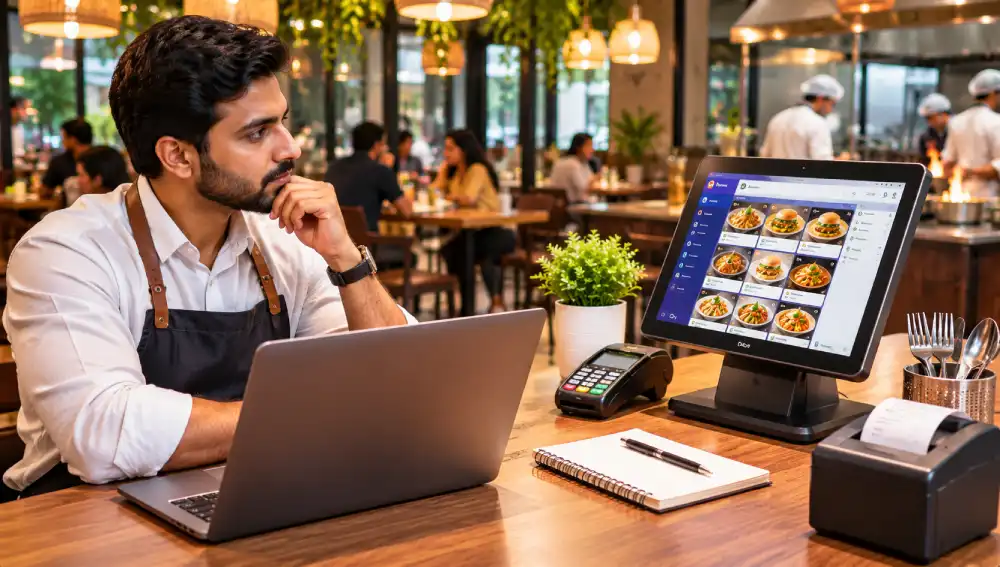
A POS system is not just about finding a software that can generate bills, it is that system that helps restaurant to manage table orders, takeaway requests, kitchen communication, inventory, staff activities, online payments, and sales reports, all of the which that helps serve customers without unnecessary delays. The challenge is that every restaurant operates differently like a small café may need a straightforward billing system, while a busy family restaurant may require table management, kitchen order tracking, and detailed sales reports. A restaurant that has multiple outlets may need centralized control across locations.
This makes selecting the right Restaurant POS Software in India an important business decision. So, before you choose a provider, you must opt for the system that should fit your restaurant's daily workflow, and support its current requirements, and offer enough flexibility to grow with the business. In this post, here are some factors worth evaluating before you buy a POS system.
Before you compare a software provider, you must understand what your restaurant needs. A quick-service outlet, fine-dining restaurant, food truck, and cloud kitchen does not follow the same ordering and billing process. Therefore, buying software that is designed for a different business model can leave you paying for features that your staff rarely uses. So, start by identifying your daily requirements such do you need a table-wise order management or accept takeaway and delivery orders or have a separate kitchen or bar. Try to make a list of essential features and optional additions. This will give you a practical basis for comparing different POS solutions.
Billing is one of the most frequently used functions in a restaurant. A complicated checkout process can slow down staff, especially during busy periods. So, look for a Restaurant POS Software that offers a clear billing interface and allows the employees to complete common tasks without navigating through multiple screens. Also, you must check whether the system supports:
Quick item selection
Customized orders and modifiers
Discounts and configured taxes
Split bills
Multiple payment methods
Easy receipt generation
Refunds and order cancellations
Also, ask for a live demonstration instead of relying only on screenshots. Try to create an order, modify an item, apply a discount, and generate a bill. This will give you a better idea of how the software performs during everyday use.
A restaurant's ordering process involves more than the person taking the customer's order. Information must reach the kitchen accurately so that staff can prepare the right dishes and manage preparation priorities. A suitable POS system should support the restaurant's ordering workflow. Depending on its capabilities, orders may be sent directly to kitchen display screens or printed at designated preparation stations. Therefore, look for features such as:
Table-wise order tracking
Kitchen order tickets
Separate kitchen and bar routing
Order modification updates
Pending order status
Dine-in, takeaway, and delivery management
During a demonstration, check how easily staff can modify an order after it has been submitted. Clear communication between the service team and kitchen can reduce avoidable mistakes.
Food costs are an important part of restaurant operations. With poor stock management, then it can lead to unnecessary purchases, ingredient shortages, and avoidable wastage. For the restaurants that need detailed stock control, Restaurant POS Software in India should ideally offer inventory features that match the way the kitchen operates. So, check whether it can:
Track available stock
Record purchases and stock adjustments
Monitor ingredient consumption
Set low-stock alerts
Track wastage
Generate inventory reports
Manage supplier information
Some of the systems that support recipe-level inventory, where ingredient quantities are adjusted based on recorded sales. This can be useful for restaurants that have standardized recipes. However, you must ask how the system handles wastage, complimentary items, cancelled orders, and stock transfers. Accurate inventory reports depend on these activities being recorded correctly.
A POS system should help you understand what is happening in your restaurant, not just record transactions. The sales reports can show you that which dishes perform well, and which hours bring the most orders, and how revenue changes across different periods. The useful reporting features may include:
Daily and monthly sales summaries
Item-wise sales reports
Category-wise revenue
Discount and refund reports
Payment method summaries
Staff-wise transaction records
Branch-level comparisons
For instance, a restaurant may discover that a particular dish sells well during weekends but receives fewer orders on weekdays. This information can support better menu planning and promotional decisions. You must choose software that presents reports clearly. A large collection of complicated charts is less useful than a few accurate reports that help you make practical decisions.
Restaurants in India serve customers who may prefer different payment methods. Your POS system should support the payment options relevant to your business. Check their compatibility with cash, cards, UPI, and other supported digital payment methods. Also, you must ask whether the software can integrate with your existing payment terminal or payment provider. Tax configuration deserves equal attention. This system should allow appropriate GST settings, generate accurate invoices, and support the billing formats your restaurant requires.
Before you make a purchase, ask the provider to demonstrate how taxes, discounts, service charges where applicable, and refunds appear on the final bill. Do not assume that every POS product handles these requirements in the same way. Confirm the available functionality and discuss any specific accounting or compliance needs with your accountant.
Many restaurants now manage orders through several channels, including dine-in, takeaway, their own websites, and third-party delivery platforms. By handling these channels, then it can separately can create additional work for staff. A POS system with suitable integrations may help bring orders into a more organized workflow.
Therefore depending on the provider, some of the useful features may include:
Online ordering integration
Delivery platform connections
Digital menu management
QR-based menu access
Order status updates
Centralized order records
For dine-in customers, a QR menu can make browsing more convenient. However, check whether the POS system supports the type of QR ordering you actually need. Some products only display a digital menu, while others allow customers to place orders directly. Also ask whether menu prices, item availability, and order information stay synchronized across connected channels.
Even feature-rich software can become a problem when employees struggle to use it. Restaurant teams often work under time pressure, and staff members may have different levels of technical experience. The POS interface should therefore be simple enough for employees to learn without extensive training. During the product demonstration, you must ask different team members to test common activities, such as:
Opening a table
Adding and modifying items
Sending orders to the kitchen
Applying an authorized discount
Processing a payment
Closing a bill
Check whether the provider offers onboarding, training materials, and assistance when new employees join. A user-friendly system can reduce training time and help staff focus more attention on customers.
The advertised subscription price may not represent the total cost of using a POS system. Some of the providers charge separately for installation, hardware, additional terminals, integrations, training, or support. Others may offer different plans depending on the number of outlets or features required. Before making a decision, request a complete pricing breakdown.
|
Cost to review |
What to clarify |
|
Software subscription |
Monthly or annual charges |
|
Installation |
Setup and configuration fees |
|
Hardware |
Billing terminals, printers, and other devices |
|
Additional outlets |
Charges for extra locations |
|
Integrations |
Costs for connecting external services |
|
Training |
Whether staff training is included |
|
Support |
Any charges for technical assistance |
Also, ask about the renewal terms, cancellation policies, data export options, and price changes. A low-cost plan may be suitable for a small outlet, but a slightly more expensive system could offer better value when it includes the features your restaurant genuinely needs.
A POS system becomes part of the restaurant's daily operations. So, before you sign up, you must understand that how the provider handles support. Also, ask about the support hours, available contact channels, response times, software updates, and procedures for resolving urgent problems. Data security is equally important, so check whether the system offers role-based access secure data handling, regular backups, and appropriate protection for customer and business information. Finally, you must consider the plans for the next few years.
A restaurant that intends to open additional branches may need centralized reporting, outlet-level permissions, and consolidated inventory management. The right Restaurant POS Software in India should support your present operations without making future expansion unnecessarily complicated.